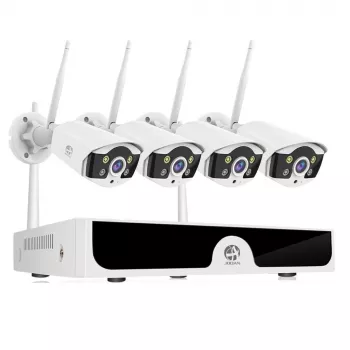
A 10-channel WiFi camera system is built for wider coverage than a typical 2–4 camera kit, making it a practical choice for larger homes, multi-entrance properties, small businesses, and mixed indoor/outdoor monitoring. The goal is to balance channel capacity, wireless reliability, recording storage, and day/night image performance so the system stays dependable after installation—not just on day one.
“10-channel” refers to the recorder’s capacity: it can support up to 10 camera streams. That headroom matters because it lets you expand over time without replacing the core system or juggling multiple apps and storage locations.
For most properties, the best early wins come from covering how people and vehicles enter, where packages are delivered, and where someone could approach unseen (side gates, back doors, or an alley line). After that, fill in blind spots and add overview angles that help you understand movement across the property.
Two systems can look similar on paper but perform very differently when installed outdoors, at night, or across multiple simultaneous recordings. A fast checklist helps separate “fine in a demo” from “useful when it matters.”
Clarity is more than “higher resolution.” A wide lens can cover more area but may shrink faces; a narrower field of view can be better for a driveway or a door where identification matters.
WiFi cameras don’t just need a strong signal; they need steady throughput. Multiple cameras recording at once can expose weak links, especially at the edges of coverage.
If a camera location is marginal, small adjustments can help: shifting the camera a few feet to avoid a metal downspout, elevating the router, or adding a mesh node closer to the far side of the property. The most reliable setups treat WiFi as a planned network—rather than hoping a signal “reaches.”
A camera system is part of your home or business network, so basic account security and device hygiene matter. Practical guidance from organizations like CISA and the FCC aligns with a few high-impact steps:
For deeper baseline expectations around connected devices, the NIST IoT cybersecurity baseline is a helpful reference: NISTIR 8259A.
| Setting choice | Best for | Trade-offs |
|---|---|---|
| 24/7 recording | Busy areas (driveway, storefront), evidence continuity | Uses more storage; requires stable power |
| Motion-only recording | Low-traffic areas (backyard, storage room) | Can miss lead-up events if motion zones are poorly set |
| Local storage | Budget-friendly long retention, privacy control | Recorder must be protected from theft/tampering |
| Cloud storage | Off-site backup, easy remote access | Ongoing cost; dependent on internet reliability |
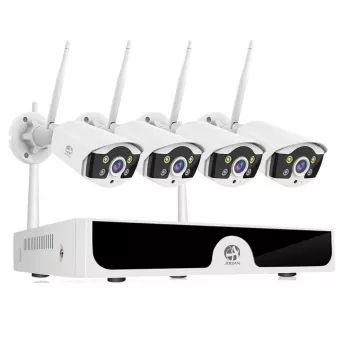
If you want whole-property coverage with room to grow, a 10-channel platform gives flexibility. The 10CH WiFi Security Camera System is designed to scale up to 10 camera channels, which suits multi-entrance homes, detached garages, small offices, and mixed indoor/outdoor monitoring.
If the system will be managed on the go, keeping essentials secure and organized also helps. For daily carry of a tablet or laptop used for viewing/exporting clips, consider the Elegant Women’s Leather Tote Bag – 14 Inch Laptop Briefcase for Work & Daily Use.
It can, as long as the system records locally to a recorder or local storage and power remains on. Remote viewing and cloud uploads may stop during an outage, but local recording can continue until connectivity returns.
Ten channels is the maximum capacity, not the required camera count. Many setups start with 4–6 cameras for key entrances and add more over time to cover blind spots, side gates, and additional angles.
Use activity zones and sensitivity tuning first, then reposition cameras away from swaying branches and direct headlight paths. Updating firmware and refining detection settings in the app can also improve accuracy over time.











Leave a comment